Changelogs
Stay up to date with the latest changes and enhancements.
Stay up to date with the latest changes and enhancements.
Stay up to date with the latest changes and enhancements.
26. Feb 2026
Share
Copy and Paste Improvements, Label Printing, RNA / Protein Sequences
You can now copy and paste all interactive elements between protocols and experiments including steps, timers, images, tables, spreadsheets, data fields and inventory fields!
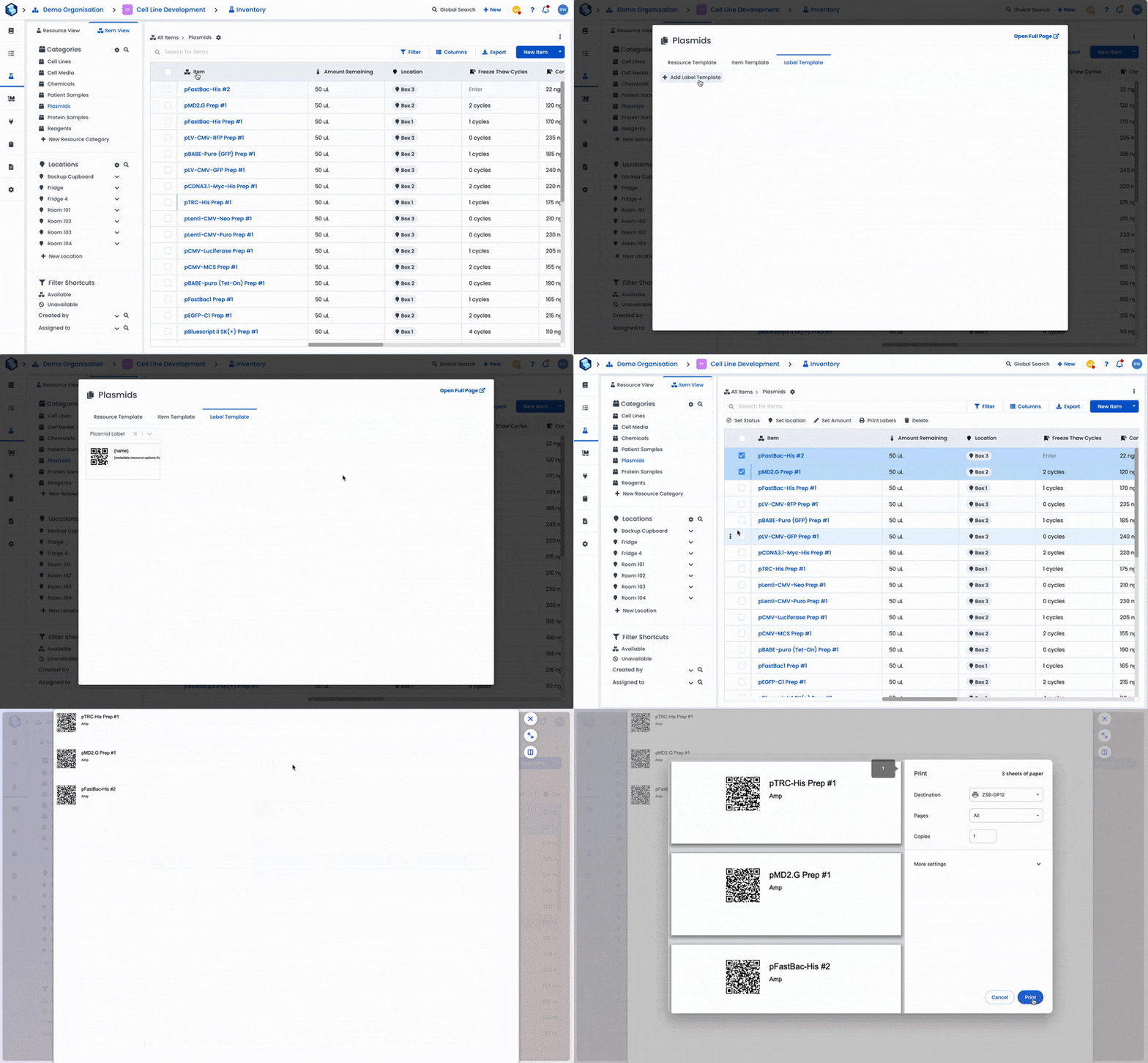
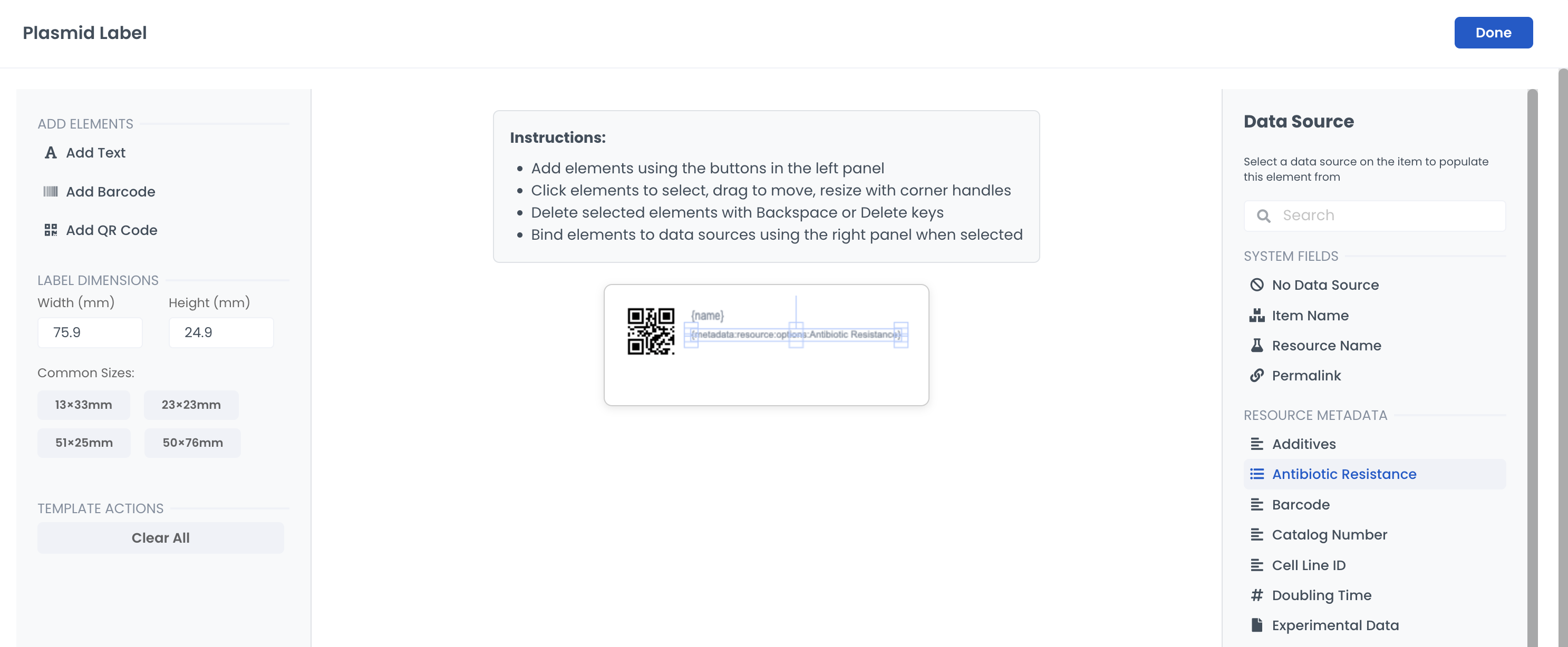
You can now design Label templates within Labstep and send them to the printer without leaving the platform!
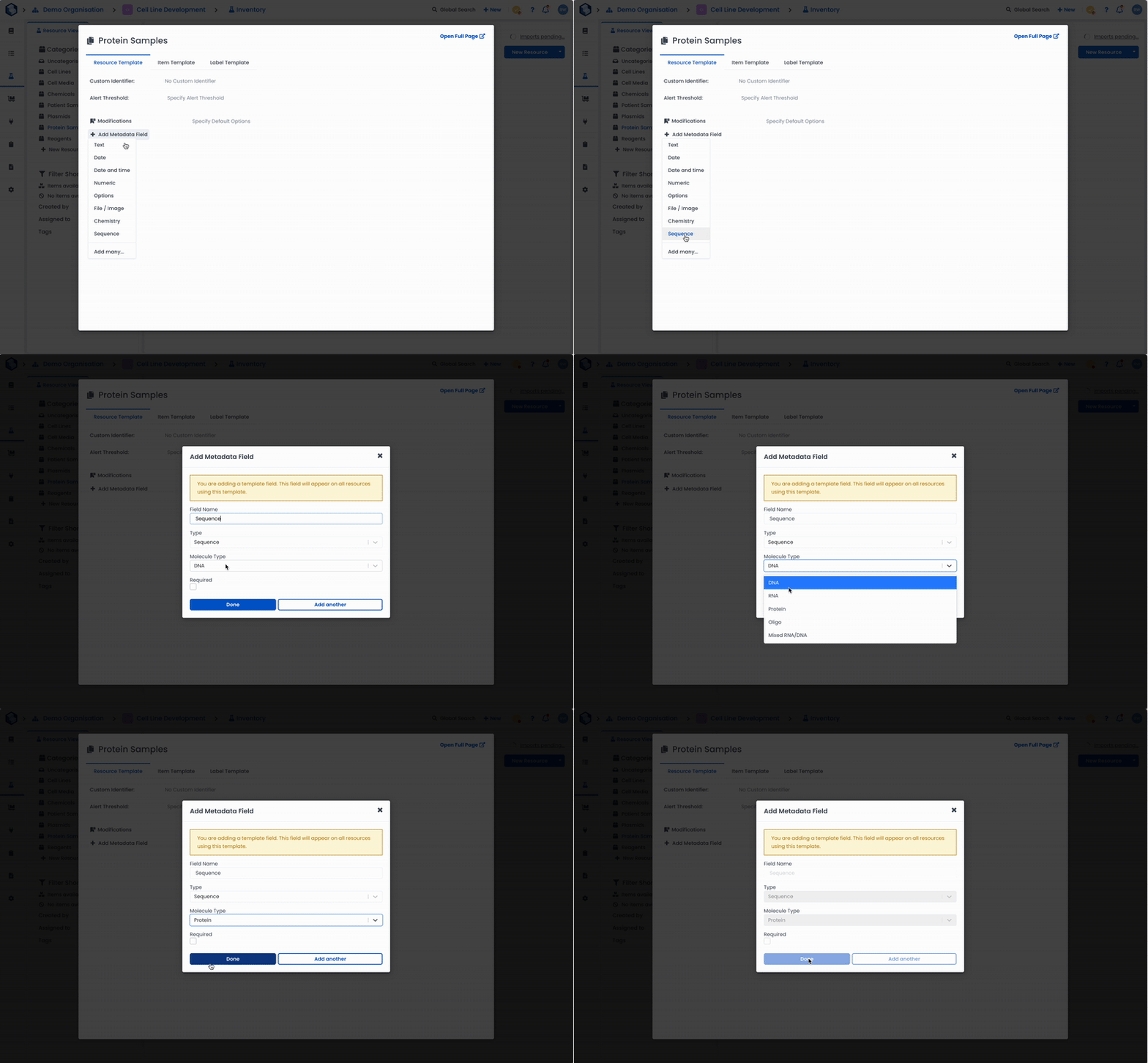
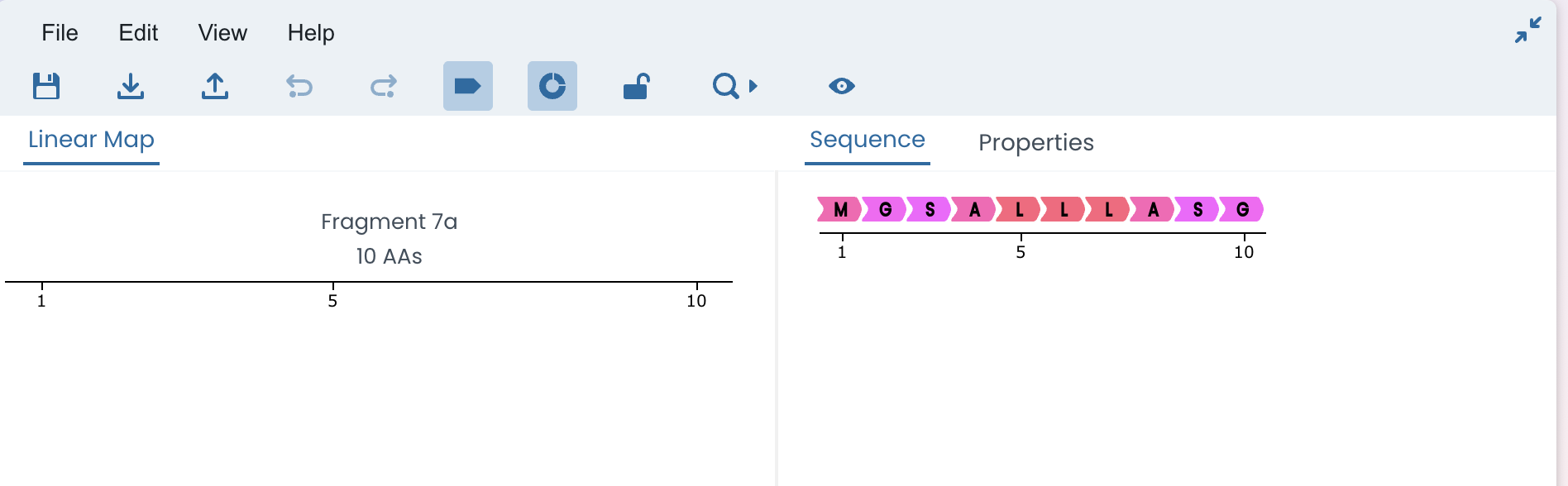
We've added support for RNA and Protein sequences within the Sequence editor tool. When creating a 'Sequence' type metadata field, there is now a dropdown where you can select what type of sequence you want to create.
Inventory fields can now be visualised as an interactive form field in your experiments and protocols to streamline the process of selecting / creating items.
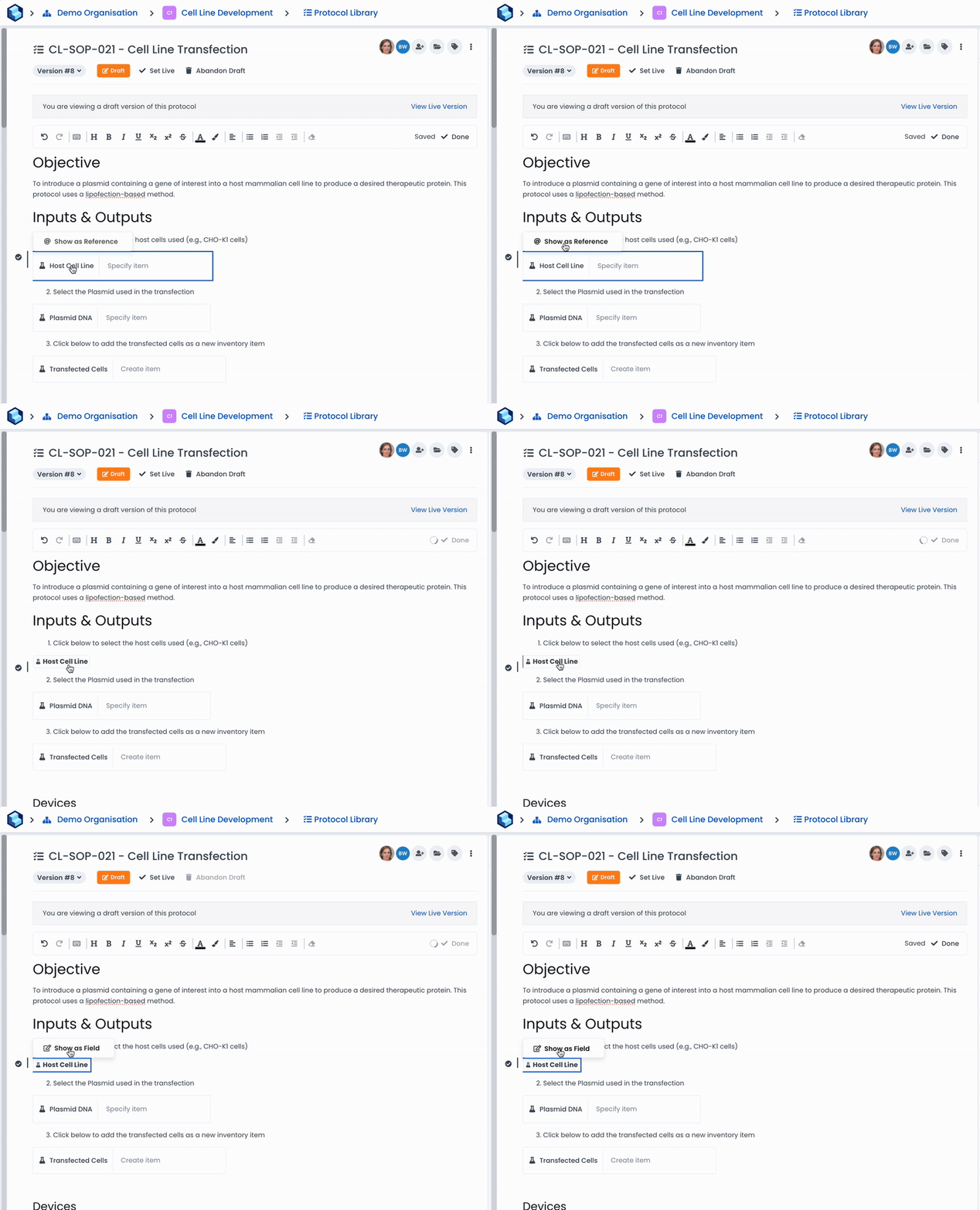
If you just want a reference pill as before use the @ command instead or hover over the form field and click 'Show as Reference'.
Model Resource-Resource relationships
Lookup fields
Dynamic linked data fields
26. Feb 2026
Share
Smart Tables, Experiment Grid View, Filter Experiment by Data, Video Support
Conditions tables have been replaced with new more powerful Smart Tables.
With Smart Tables you can now customise which columns you want to display, resize and reorder columns and also add columns showing metadata fields on the resources / items created.
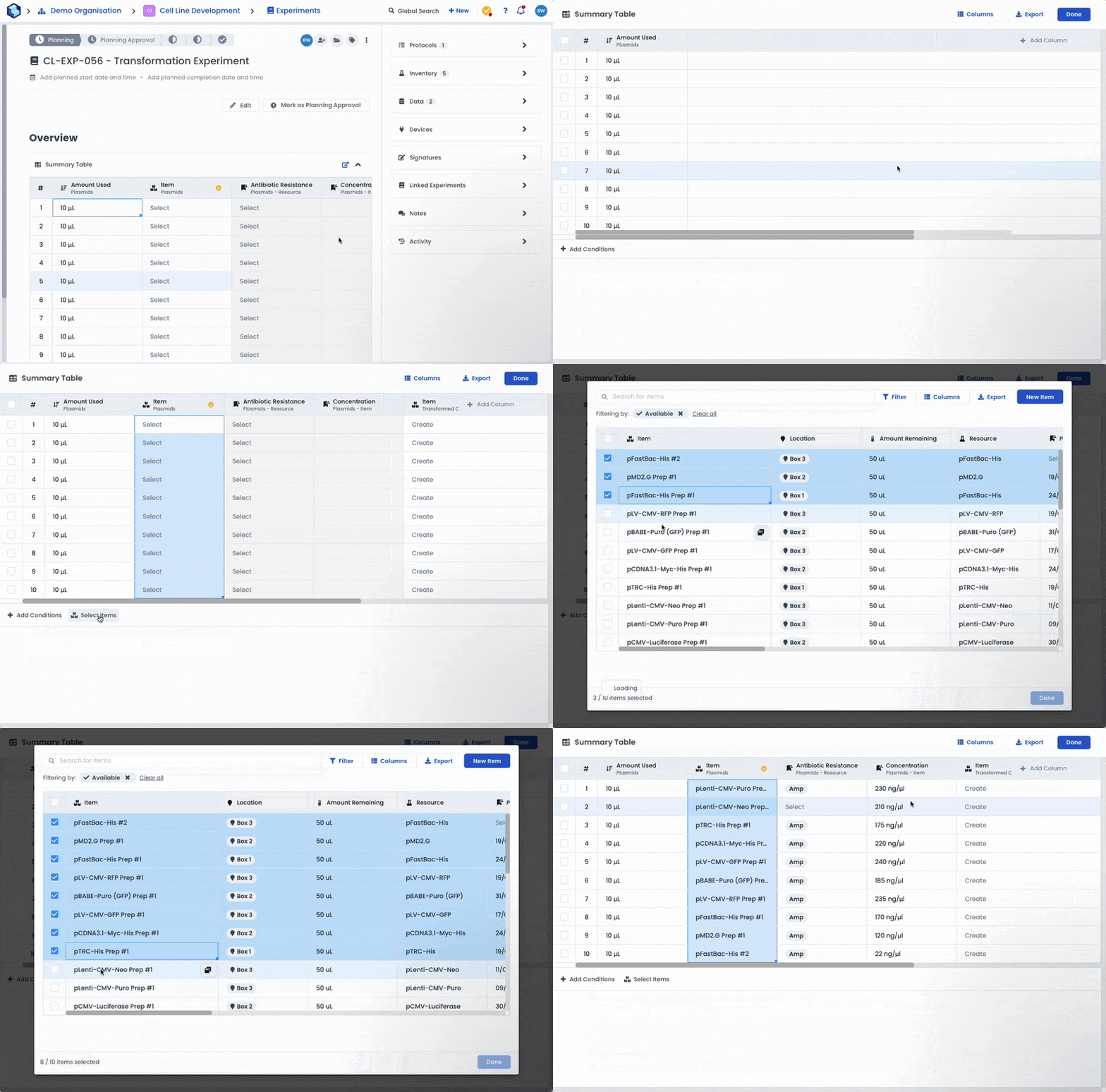
Use Smart Tables, to surface metadata about the items used in an experiment, as registration tables to create new items / resources in bulk in your experiments, or as data collection forms to add data to items as part of your experiment.
For more guidance on how to use Smart Tables see the help article here.
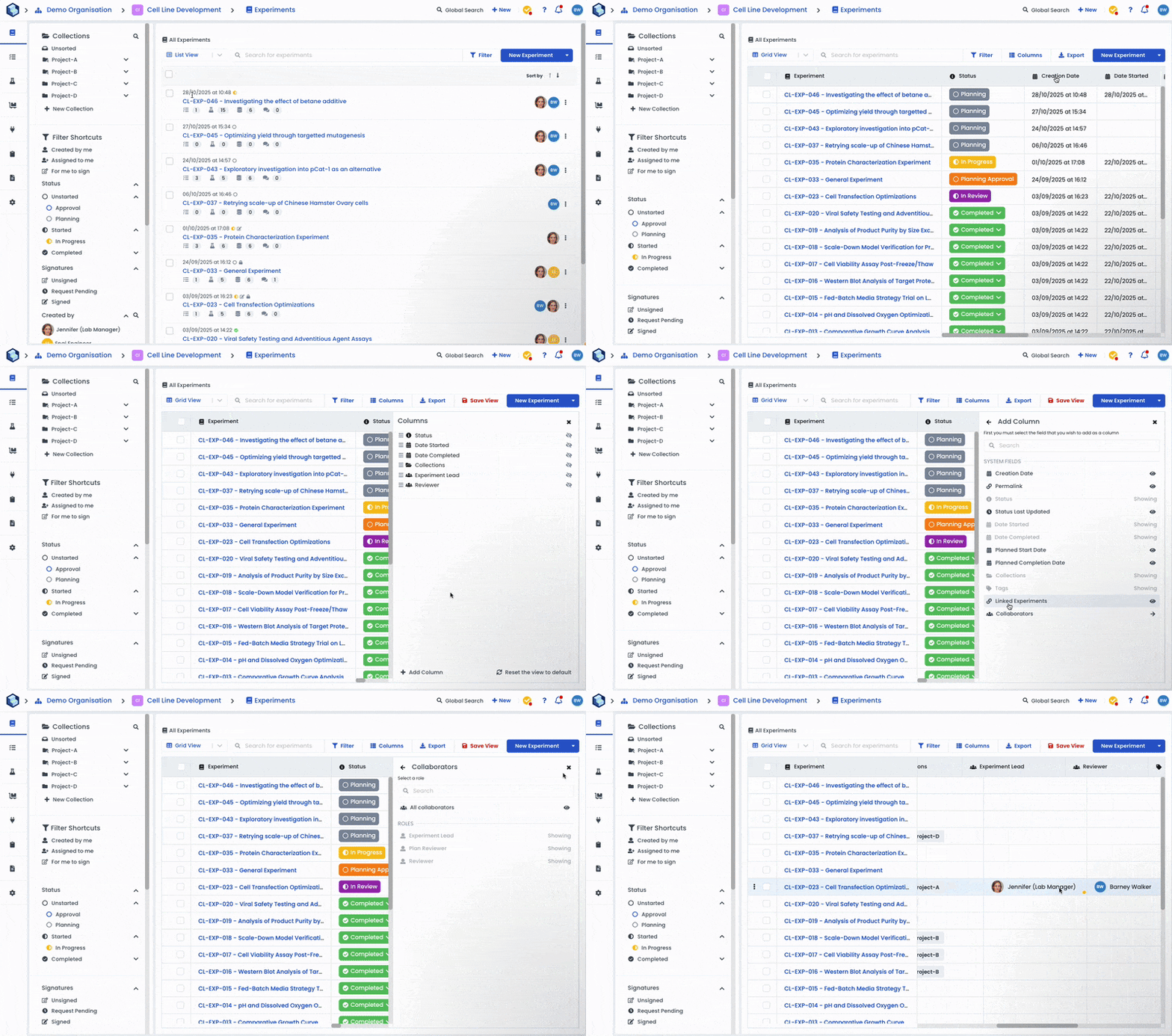
We have also rolled out a new customisable Grid View for Experiments. Add columns to show the experiment status, tags, collections, linked experiments, as well as columns for each assigned role (requires Signature Workflows premium feature).
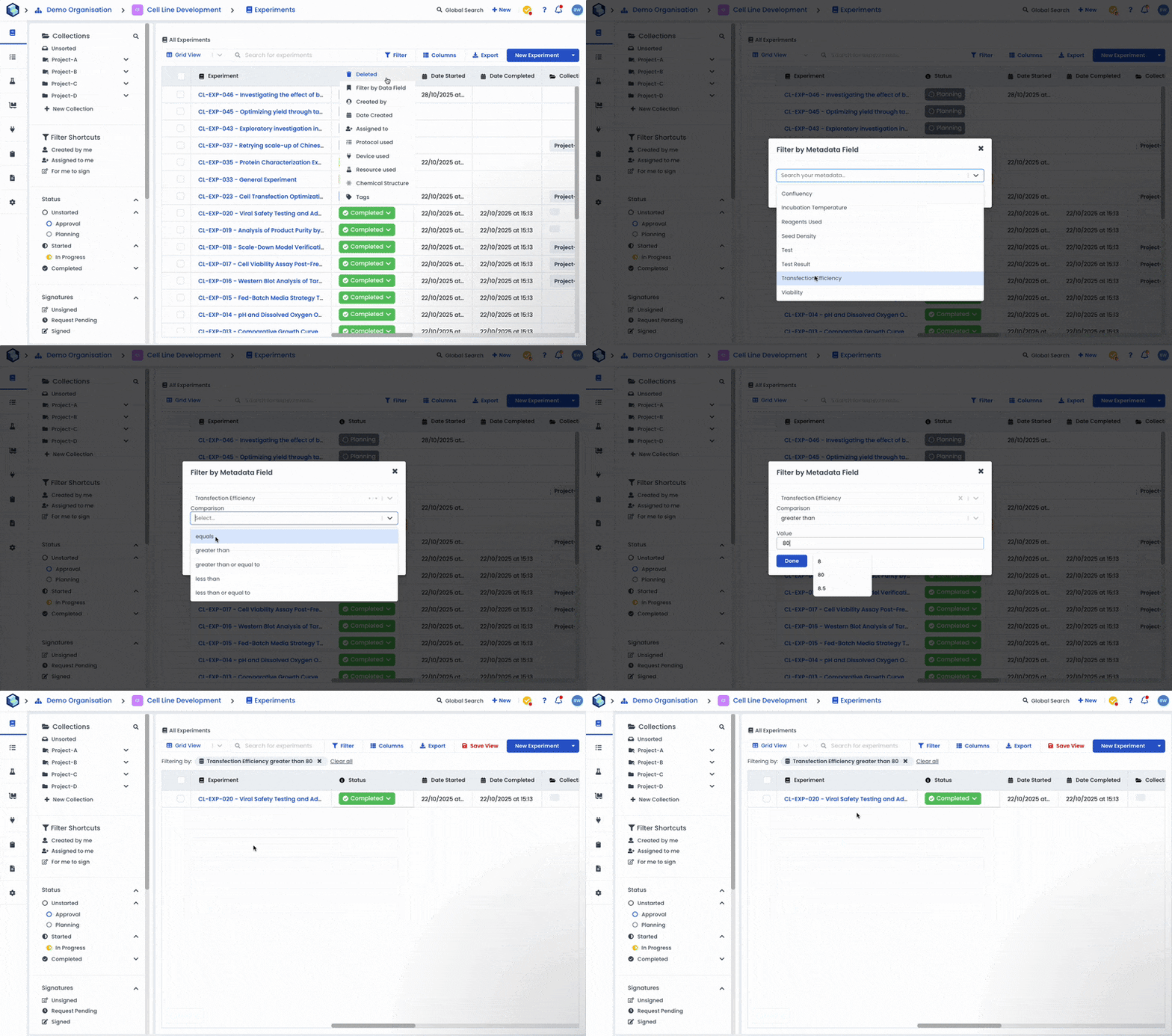
From the new Grid View you can now filter your experiments by data field.
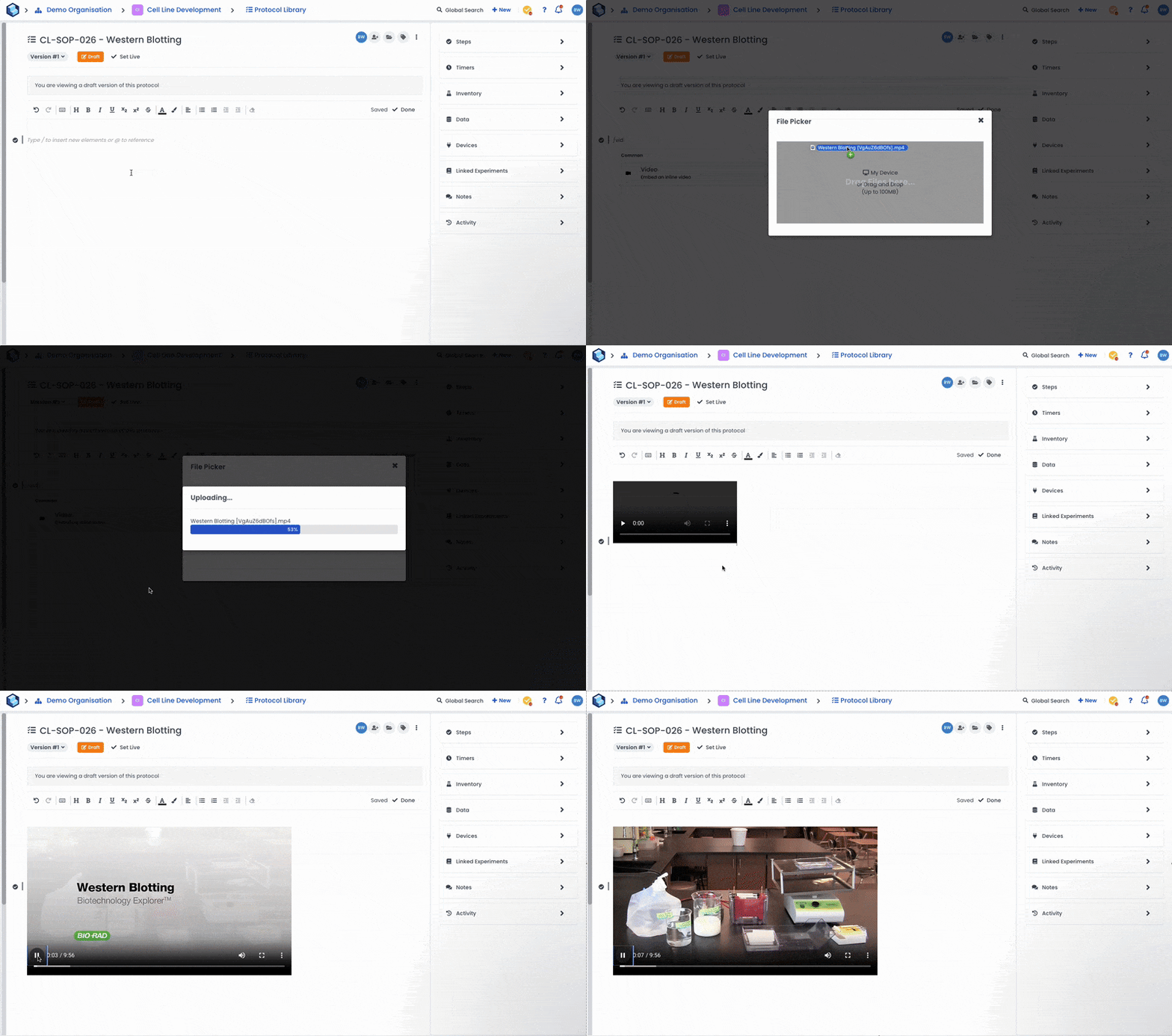
You can now embed videos or GIFs in your protocols or experiments that can be played without leaving Labstep. Make your protocols even easier to follow by adding an instructional video!
26. Feb 2026
Share
In this release we are introducing several much requested improvements to how Collections and Permission work on Labstep.
Collection Sharing
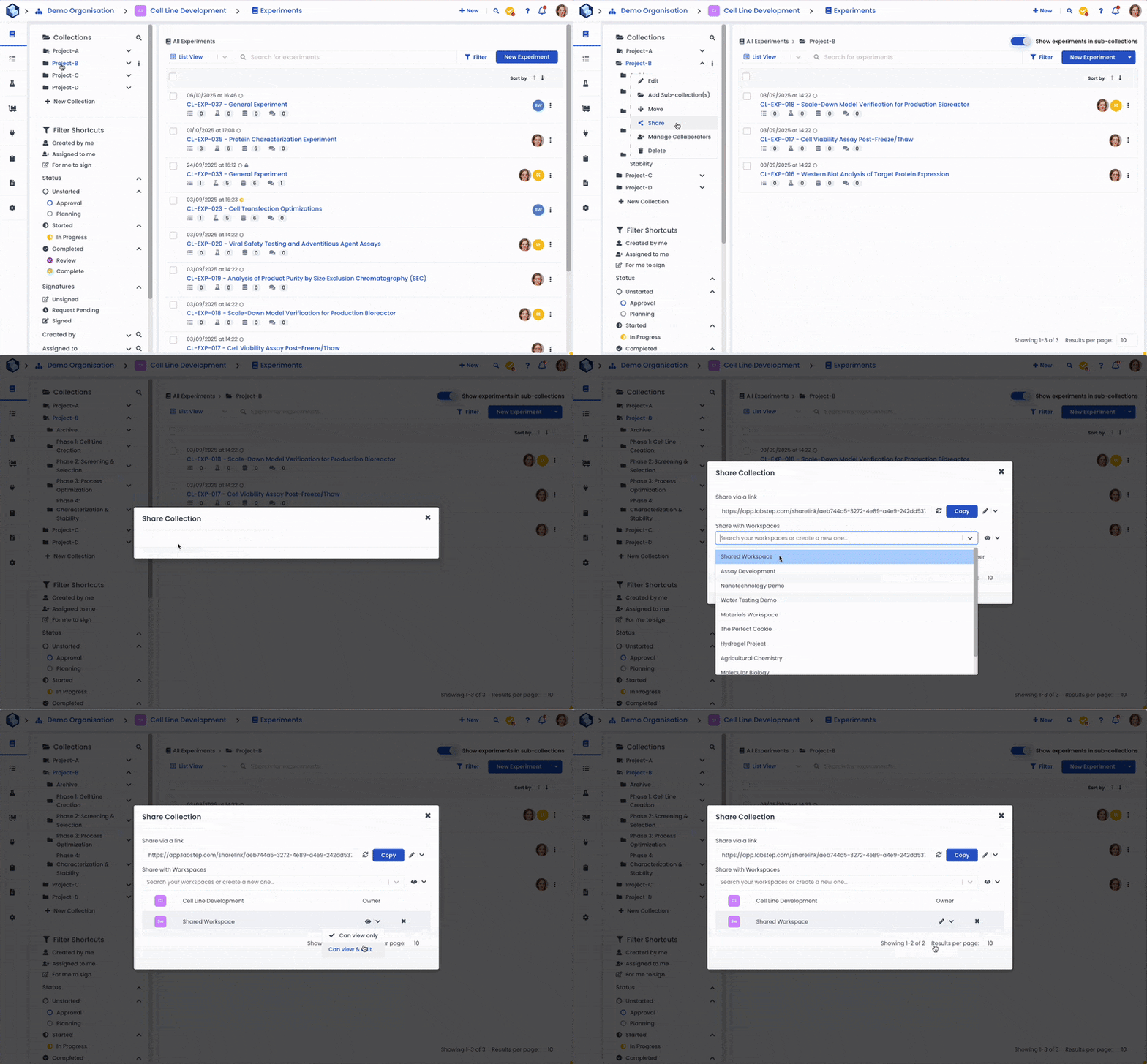
First and foremost you will be able to share entire Collections of Experiments or Protocols between workspaces. Whenever, new experiments or protocols are added to those Collections they will also be shared with any workspaces that have access to the collection. You can choose to share a Collection as View Only or View & Edit (Note that if you share with edit permission, users in the workspace will still only be able to edit if they have a role that permits editing).
Collection Collaborators
We are also introducing the ability to assign users to entire collections of experiments or protocols. This can be used in conjunction with the changes to the permission model (see below) to control which users can see and perform actions on particular collections of experiments or protocols.
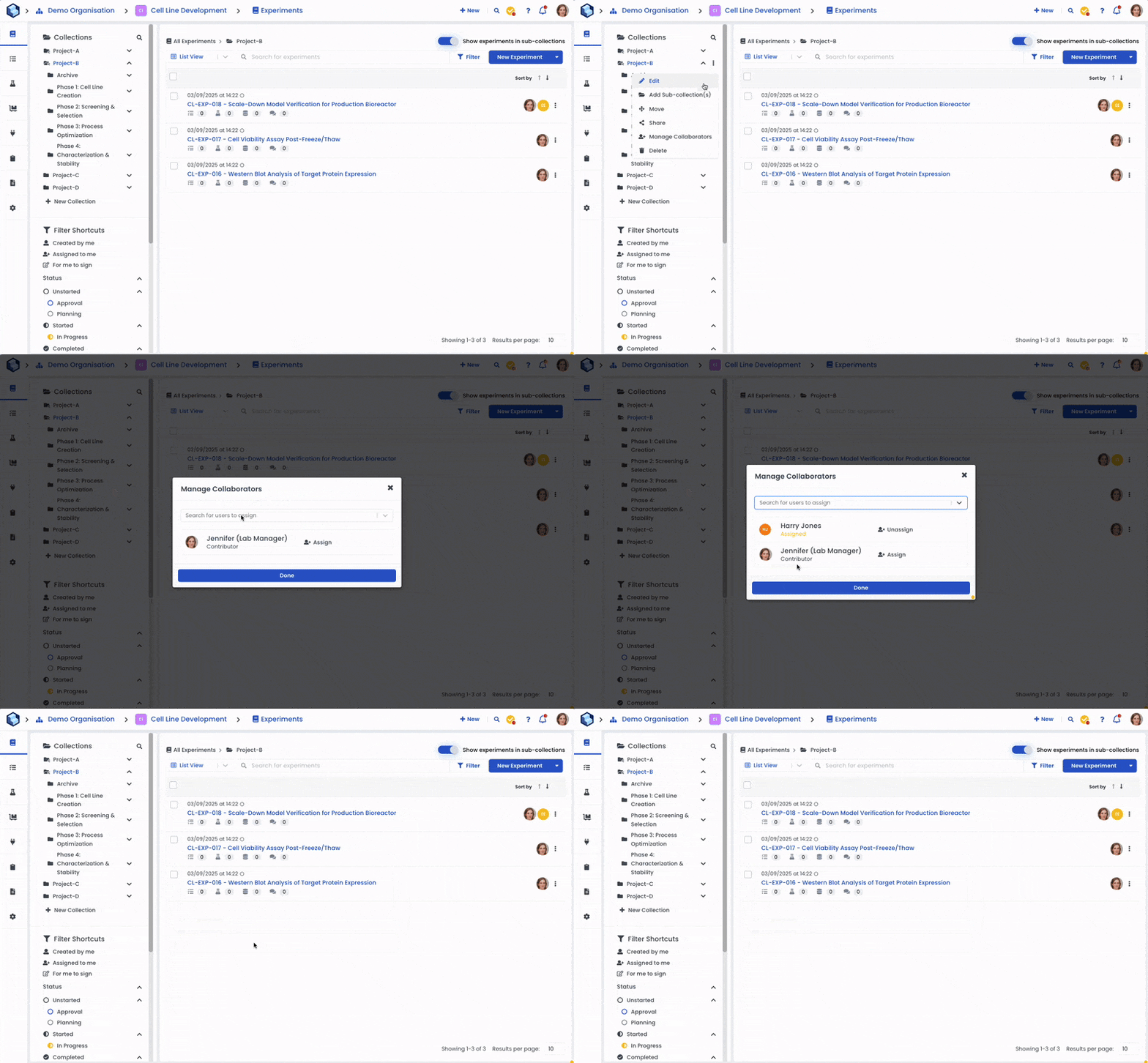
Collection Based Permissions
Previously, you could configure Roles to have permission to perform actions on All experiments /protocols or only those to which the user has been directly assigned.
Now we are introducing a new option to give people more flexibility in how you manage permissions using Collections. There is a new setting called “If Assigned to Collection”. This will give the Role permission for the specified action for any experiment in a collection they have been assigned to. This also includes experiments in sub-collections of the collection they have been assigned to.
View Permission Options
We are also adding the ‘Can View’ action to the permissions that can be configured for each role. This will give you more control over who can see what within a workspace. For example, you could create an Intern role that can only see Experiments they have been explicitly assigned to, or only experiments in particular Collections they have been assigned to (by using the new setting above).
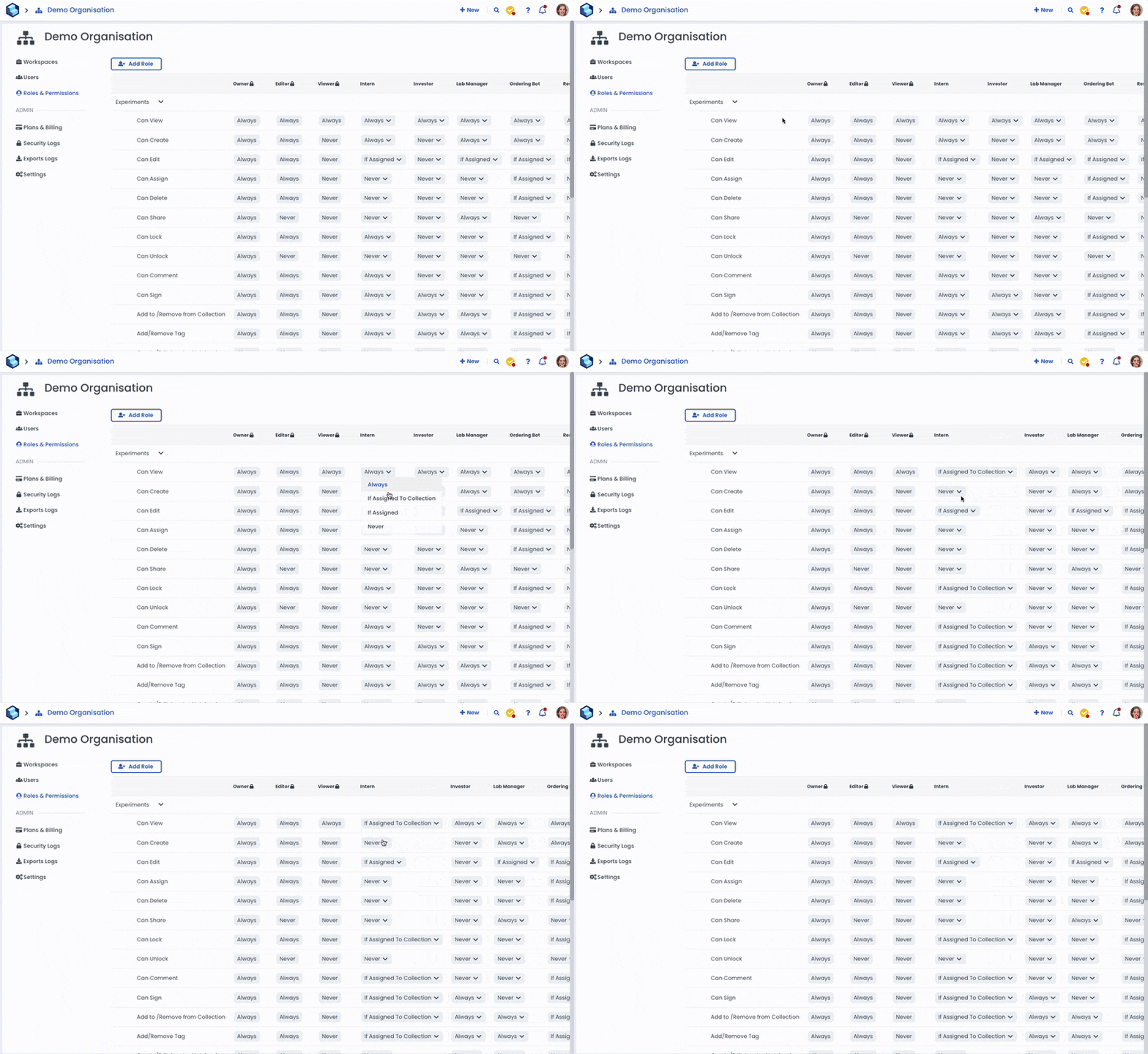
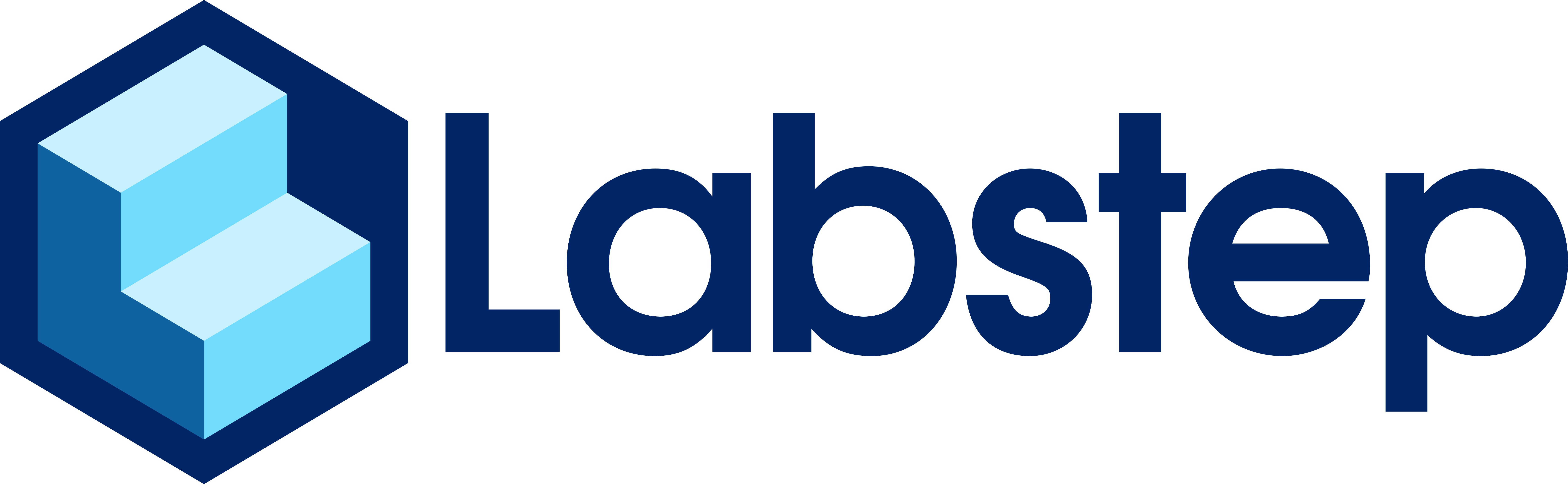
Showing Sub-Collection Content
Previously, filtering your experiments by a particular collection would only show you experiments added directly to that collection not including any experiments in sub-collections. Now we are introducing a toggle to allow you to show or hide experiments in sub-collections when filtering by collection.